
A replacement transmitter can measure the right variable and still be wrong for the greenhouse controller. Its electrical output may differ, its engineering scale may mean something else, or its fault signal may be interpreted as an ordinary reading.
Before ordering, compare three documents together: the installed transmitter record, the proposed replacement manual and the exact controller-input specification. A match between two sensor brochures is incomplete until the receiving input and its configuration are included.
Separate the electrical signal from its meaning
A signal such as 4–20 mA or 0–10 V describes an electrical range. The engineering scale says what that range represents: for example, relative humidity, dew-point temperature or carbon-dioxide concentration. Both must match the approved channel configuration.
Record the full model and order suffix, manual revision, measured variable, output variant and configured low and high engineering values with units. Then identify the input module and channel. If the current configuration cannot be retrieved, mark it unresolved instead of assuming factory defaults remain in use.
Keep electrical supply and load requirements in their own rows. “4–20 mA” alone does not identify whether a transmitter is loop-powered or uses a separate supply. Have the controls specialist verify the complete architecture and permitted loading from the relevant manuals. This article supplies no wiring or converter instructions.
Manual example 1: the same measurement with a different output
Vaisala's HMM100 Quick Guide M211002EN-E lists a two-wire, loop-powered 4–20 mA model and three-wire variants with voltage or current outputs. The voltage variants include 0–10 V. The guide also lists different supply requirements.
Suppose a purchasing request needs relative-humidity measurement and the proposed unit comes from that same family. The shared variable and family name do not close the electrical row. If the installed channel requires the current-loop version and the proposed order is a voltage-output version, record a documented mismatch once the exact order codes and input requirement are confirmed.
Do not resolve it by choosing a resistor, changing a jumper or assuming the controller accepts either signal. Ask the manufacturers to identify an approved matching variant or a documented interface change. These public examples do not establish that an HMM100 assembly is suitable for a particular greenhouse environment.
Manual example 2: a matching range can still report the wrong value
The HMM100 User Guide M211024EN-E scaling examples show relative humidity with endpoints 0 and 100, and a dew-point example with endpoints −10 and 60°C. The configured quantity and endpoints therefore belong in the purchasing evidence, even when the nominal electrical output agrees.
Illustrative interpretation, not an operating test: for a linear 4–20 mA mapping, 12 mA is halfway along the range. That midpoint represents 50% RH on the first scale and 25°C dew point on the second. Both values could look plausible on a screen. The arithmetic does not make the configurations interchangeable.
Fault behavior needs a separate comparison. Vaisala's error-notification page lists a default 3.8 mA error level for its 4–20 mA mode and 0 V for its 0–10 V mode, and notes that notification can be disabled. Record actual settings and ask how the exact controller recognizes them. Do not assume a fault is visible merely because a normal-range mapping matches.
The controller is the third column
Munters' CO2 Sensor Manual, revision 1.2 describes a 4–20 mA sensor and specific Green Climate RAIC11 interface examples. This illustrates why the receiving hardware version matters. It does not approve another sensor for that input or establish a universal connection for Munters controllers.
Ask the controls supplier to confirm supported signal type, input limits, expected mapping, clipping behavior and handling of abnormal values. Obtain any required accessory or configuration-change reference in writing. Keep unsupported features and missing information visible.
An input that accepts a signal electrically still needs the correct units and meaning in the control system. Conversely, a correctly named display does not prove that the input hardware supports the proposed transmitter.
Complete a three-way compatibility matrix
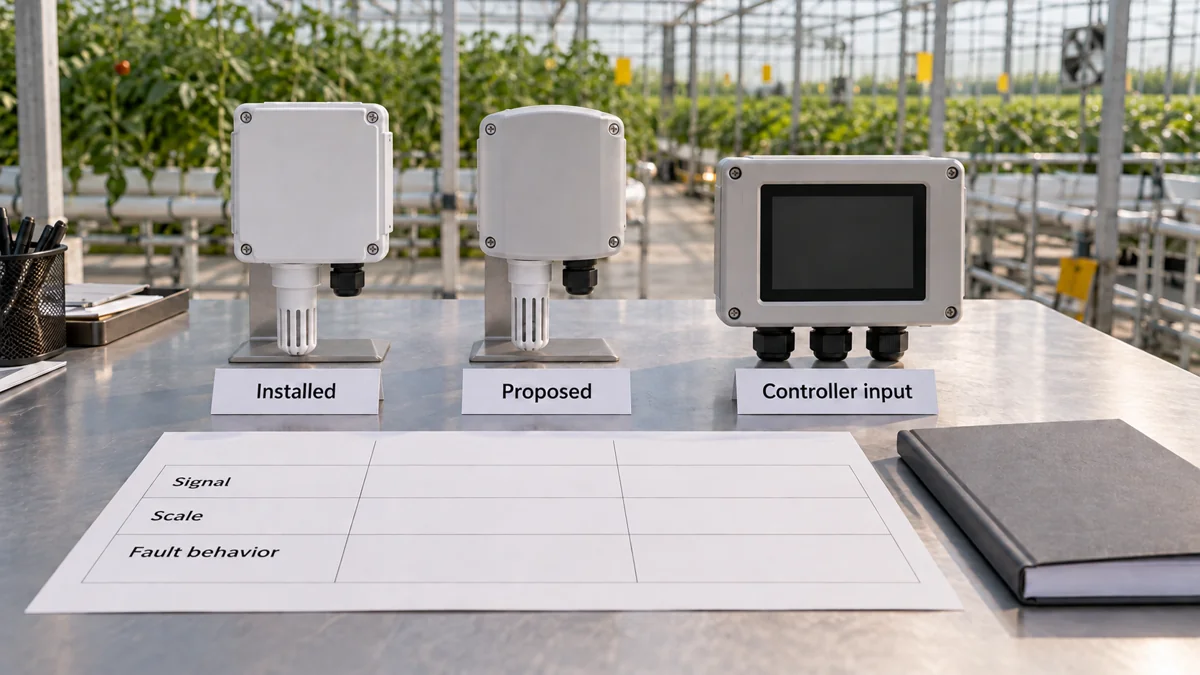
Download the old/new/input comparison matrix. Complete one channel at a time, repeating its channel ID on each requirement row. Each row has separate fields for the installed transmitter, proposed transmitter and controller requirement, plus a manual page and decision owner. Send unresolved rows to the controls supplier before releasing the order.
Use the supplier pending-channel summary for one row per channel, linked to the detailed matrix. Its illustrative row shows a missing-input-document question, with no assumed electrical rating or approved replacement. It is a blank handoff aid with one example, not an installed-channel record.
| Requirement | Installed transmitter | Proposed transmitter | Controller input |
|---|---|---|---|
| Identity | Model, suffix, revision | Model, suffix, revision | Module, version, channel |
| Electrical output | Type and range | Type and range | Supported type and limits |
| Power and load | Architecture and limits | Architecture and limits | Approved interface requirements |
| Engineering scale | Quantity, endpoints, units | Quantity, endpoints, units | Expected mapping and units |
| Abnormal states | Clipping and fault behavior | Clipping and fault behavior | Recognition and handling |
| Environment | Installed assembly limits | Proposed assembly limits | Applicable interface constraints |
| Required changes | Existing record | OEM accessories or changes | Approved configuration reference |
| Verification | Baseline evidence | Post-installation requirements | Responsible specialist and record |
Use documented match, documented mismatch or unresolved for every row. An absent fault specification is unresolved, even if the ordinary range matches. A proposed change remains a mismatch until its approved revised arrangement is defined; do not silently convert it into a like-for-like replacement.
Release the order with the verification boundary intact
Have the controls specialist approve the completed matrix and identify the installed-channel verification required after replacement. The separate sensor calibration guide covers that verification context; this pre-order review does not issue a calibration certificate.
Keep terminal work, live measurements, configuration changes and fault simulation with qualified personnel under approved procedures. Do not use an ordinary process sensor as a life-safety device or derive a CO2 operating limit from these manual examples.
The replacement order is ready when the exact proposed variant, receiving input and signal meaning are documented together, with approved changes and remaining checks assigned. Until then, a familiar-looking transmitter is only a candidate spare.